Patholytix Case Study
Redesigning a fragmented digital pathology ecosystem
An enterprise digital pathology platform for non-clinical drug development, giving toxicologic pathologists one workspace to review slides, compare tissue, annotate, and report within GLP-compliant, audit-ready workflows.
Overview & Role
As Patholytix grew, its workflows fragmented across separate tools. As Senior UX/UI Designer at Toast, I owned the redesign end to end — research, IA, interaction design, prototyping and design-system development — working closely with product, engineering and pathology stakeholders, then scaled the resulting system across two more Patholytix sub-products.
Beyond this project, I authored brand guidelines adopted across Patholytix's wider marketing materials and mentored three junior designers — grounding for the "build once, scale everywhere" thinking below.
The Challenge
Case management, slide inspection, comparison, annotation and reporting all lived in separate views. A pathologist could lose their place moving between a case list, a slide viewer, and separate annotation and reporting flows — friction that compounds across the 20–40 slides reviewed in a single study.
The product structure reflected the tools it had grown from, not the workflow pathologists actually followed.
The product structure reflected the tools it had grown from, not the workflow pathologists actually followed.
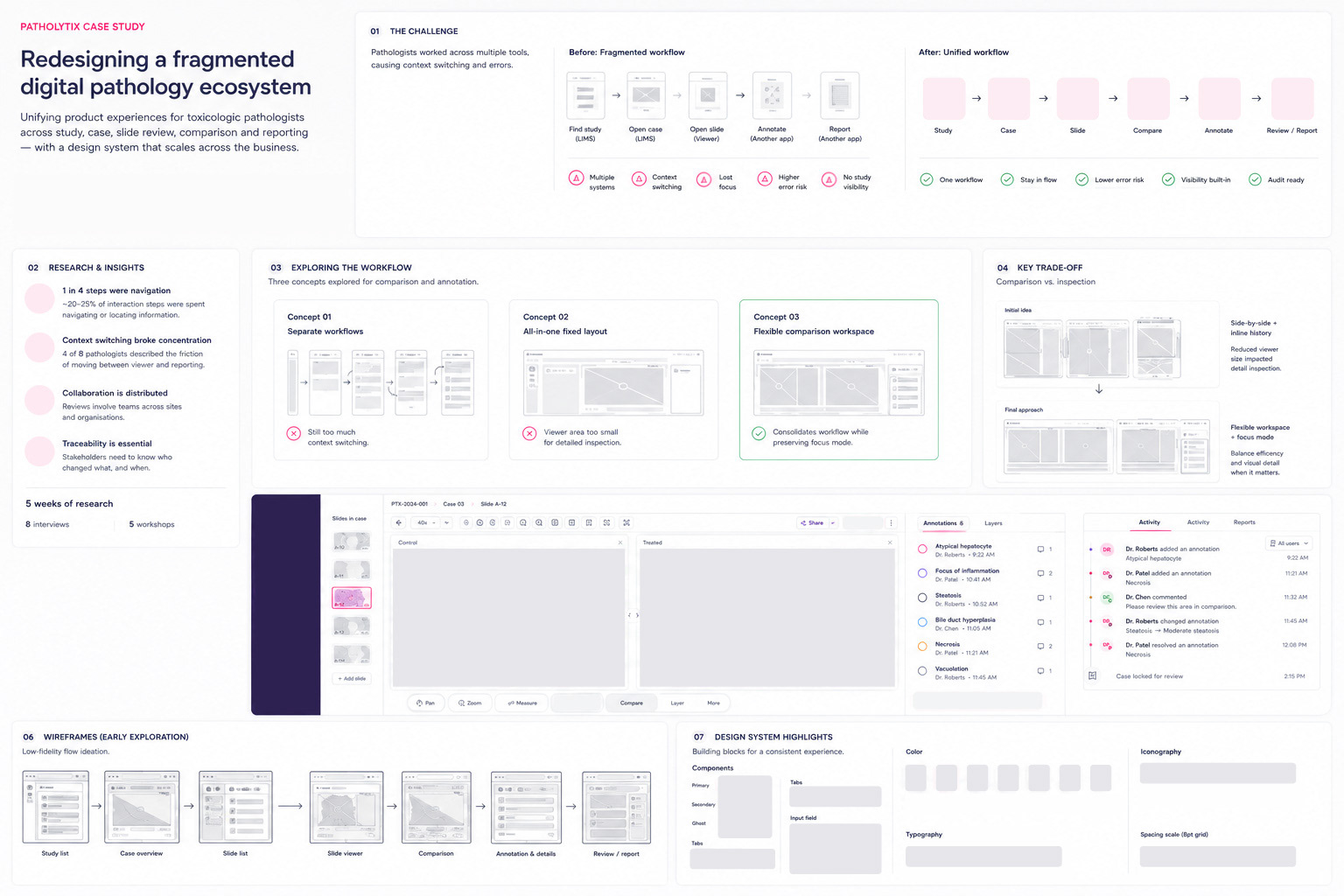
Research & Insights: Interviews, workflow walkthroughs, and stakeholder workshops surfaced where friction actually occurred, rather than starting from individual screens.
Navigation was interrupting the work: A meaningful share of review time went to locating the next case or slide, not reviewing tissue.
Context switching broke concentration: One pathologist described comparing tissue across separate applications as "losing my train of thought every time I switch screens".
Comparison needed to adapt to the task: Some tasks needed side-by-side comparison; others needed full-screen detail at high magnification. An early "all-in-one" layout served neither well.
Traceability had to be visible, not just logged: Who changed a finding, what changed, and when needed to be answerable at a glance — not buried in a log no one would open.
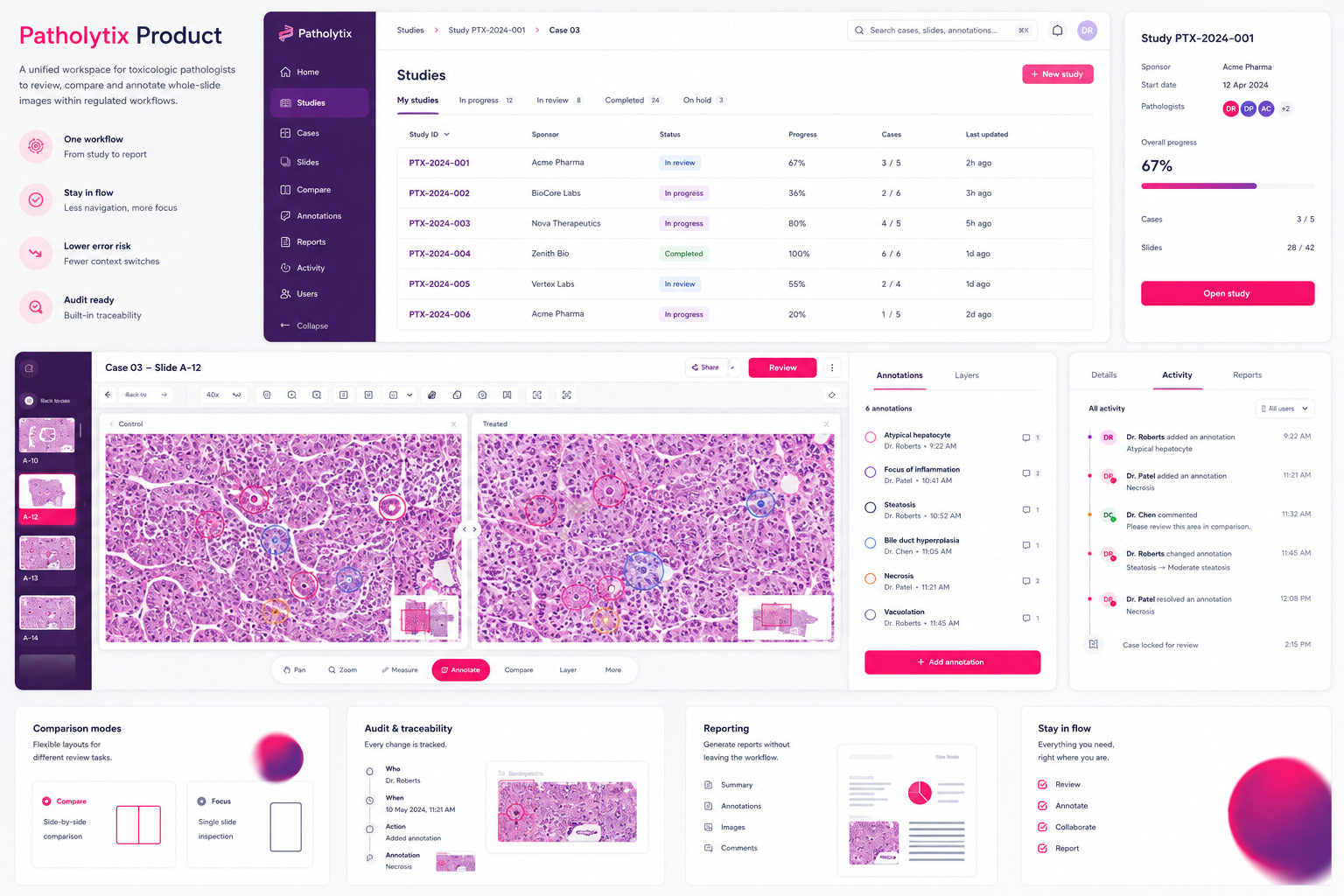
From Fragmented Tools to One Workflow
I reframed the product architecture around the pathologist's actual path through a case:
Study → Case → Slide → Compare → Annotate → Review / Report
This became the spine of the new navigation — the structure of the tool now matches the structure of
the work.
the work.
Exploring the Workflow
Three directions explored for comparison and annotation:
01 — Separate workflows
Rejected: retained the context-switching that was the original problem.
02 — All-in-one fixed layout
Rejected: pathologists pushed back — reduced screen space for detailed slide inspection more than expected.
03 — Flexible comparison workspace ✓ Shipped
Consolidated for routine review, with a dedicated focus mode for detail — shipped as Compare and Focus modes on the slide toolbar.


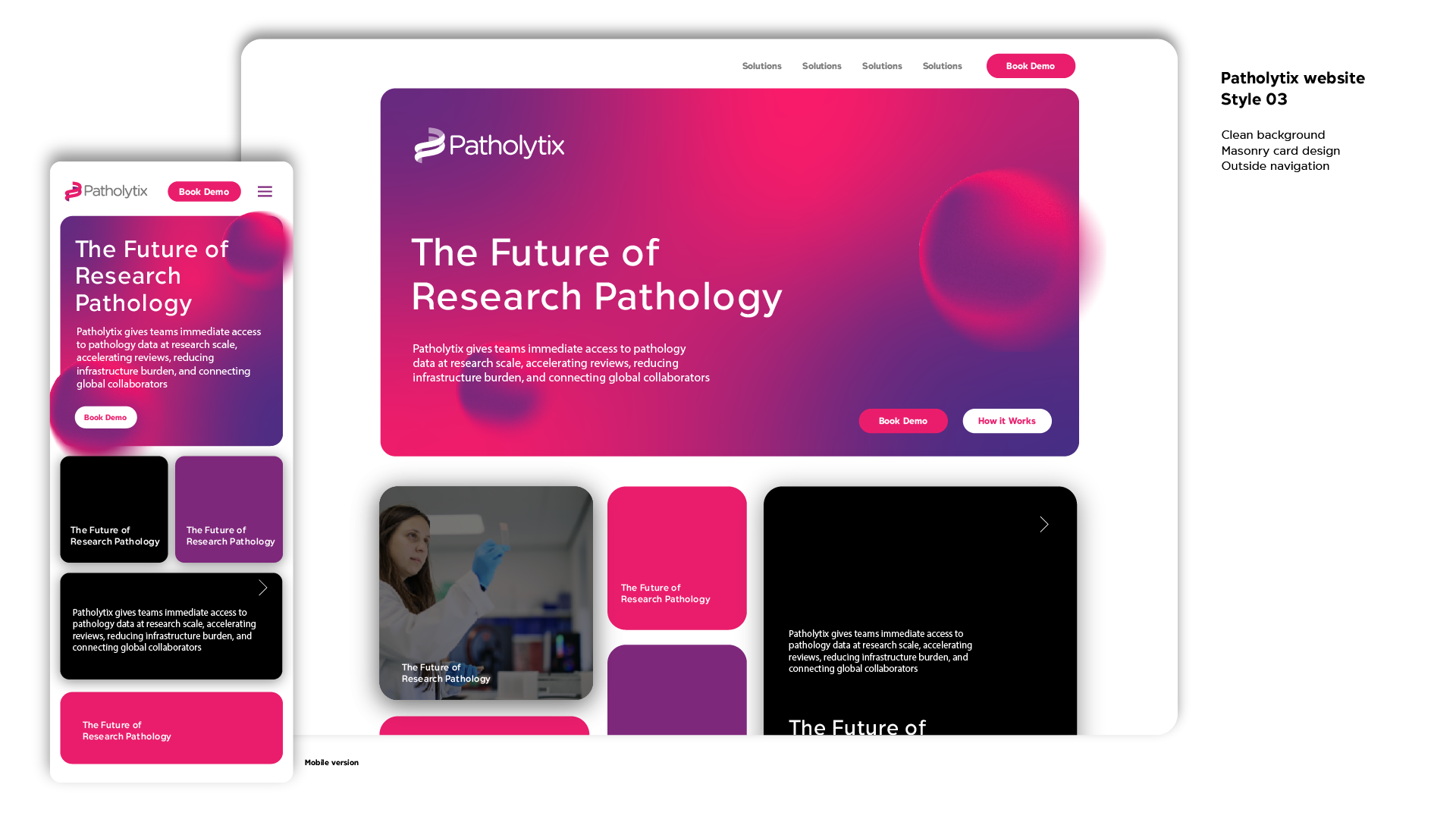
The Redesigned Workspace
Studies → Case → Slide → Compare (Control / Treated) → Annotations & Layers → Activity → Report
Comparison: Control and Treated slides sit side by side with independent pan, zoom and measurement — directly addressing the "losing my train of thought" pain point from research.
Annotation: Each finding is tied to author, timestamp and status, and surfaced in a dedicated panel next to the slide rather than a separate reporting tool.
Activity and traceability: A contextual activity panel shows who changed what, and when — down to case-level events like "Case locked for review." This turns the GLP audit requirement into something a pathologist or Study Director can actually read, without opening a separate log.
The original concept showed history live and inline on every annotation. Engineering flagged that this would be difficult to keep performant across slides with hundreds of annotations and concurrent reviewers, so history became available on demand instead, with updates batched rather than instant.
Studies overview: A dedicated view gives Study Directors visibility they didn't have before — status, progress and case counts without opening individual cases. This came directly from research: Study Directors were emailing pathologists just to find out where a study stood.
Design System
A scalable system — typography, colour, iconography, spacing, and a full component library — built to extend beyond this one redesign, within Patholytix's own visual identity, distinct from parent company Deciphex's.
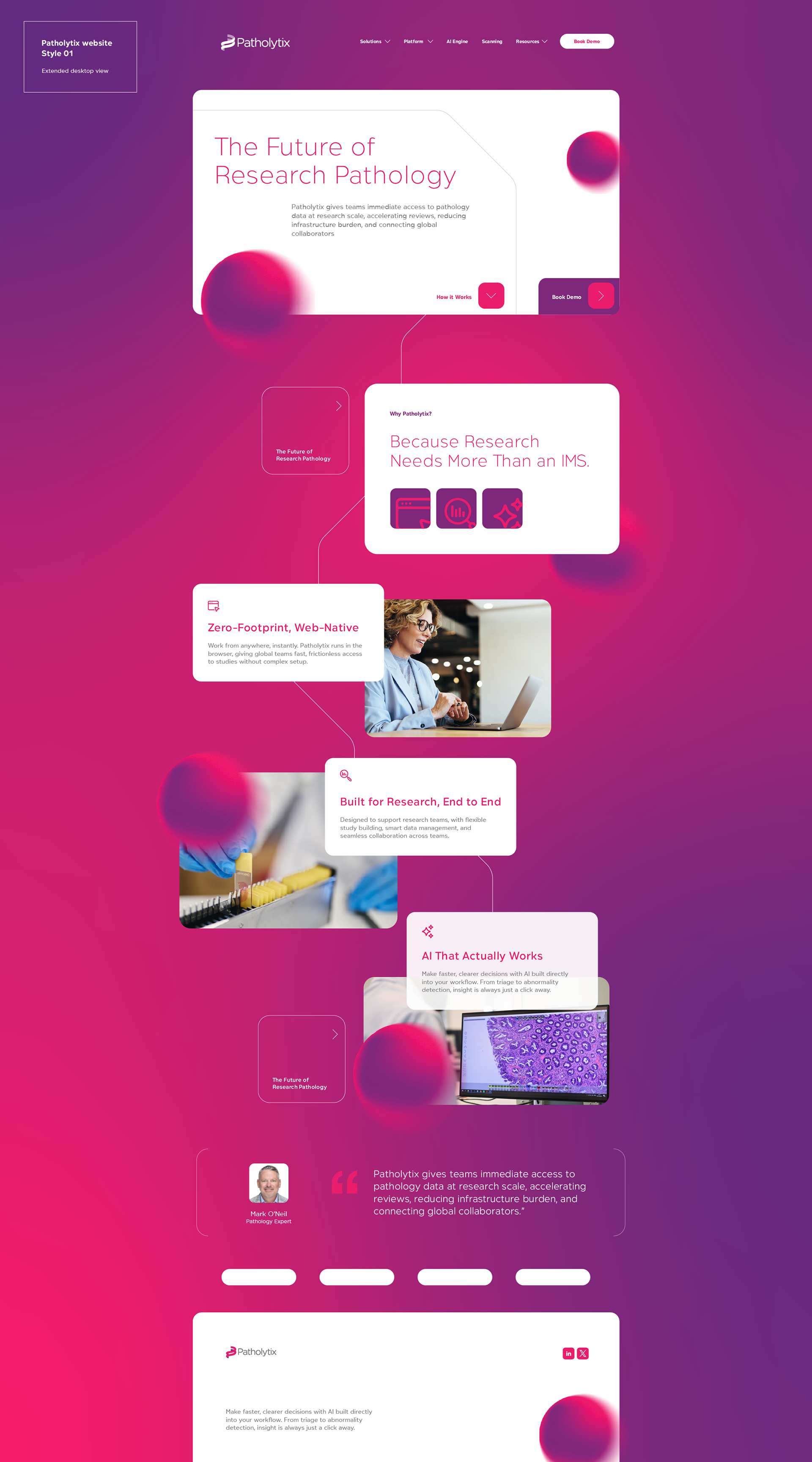
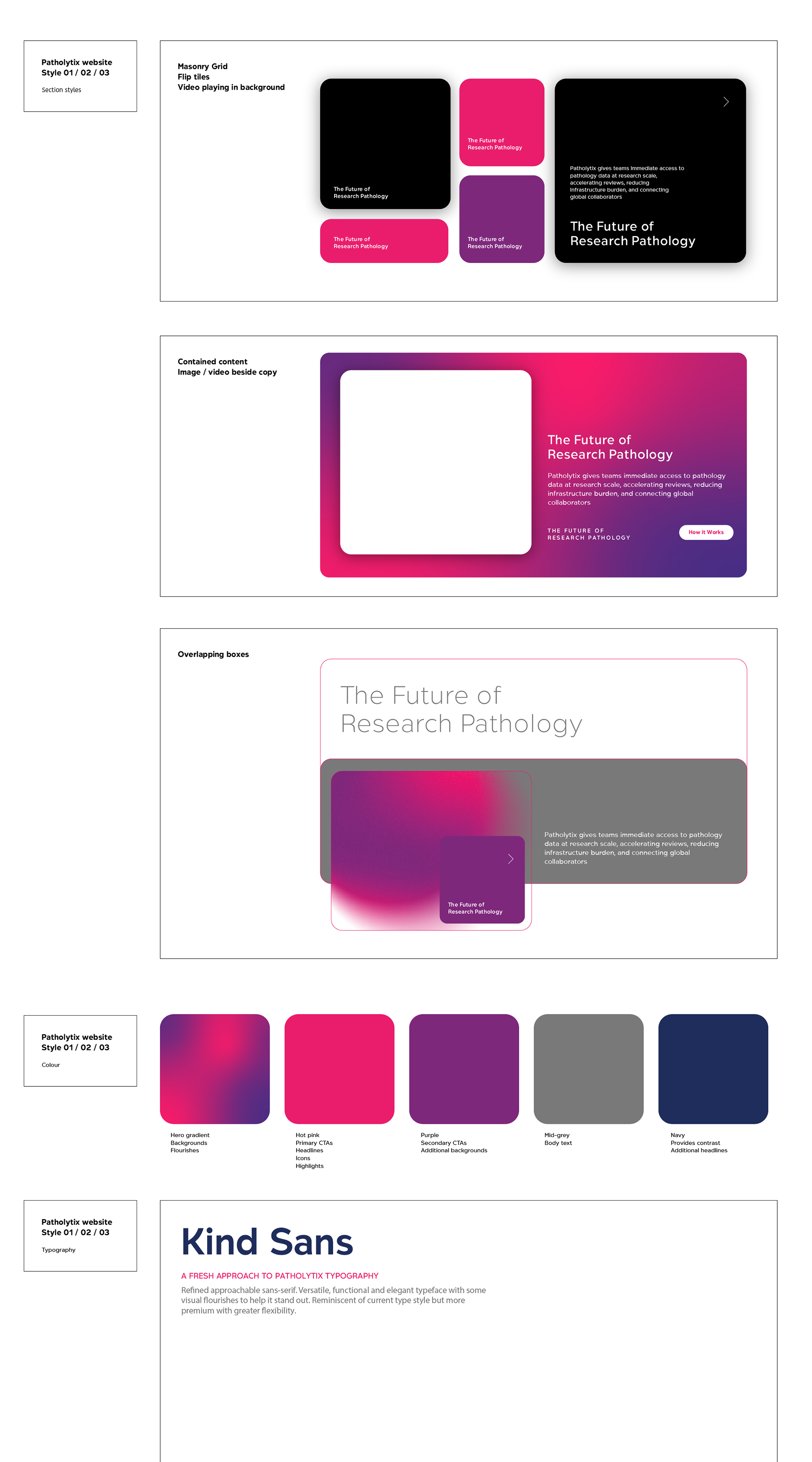
The system now supports the Patholytix product, two additional sub-products, and Patholytix's marketing site — including three art directions I designed to extend the same language site-wide.
The system now supports the Patholytix product, two additional sub-products, and Patholytix's marketing site — including three art directions I designed to extend the same language site-wide.
Confirmed in QA: UI inconsistencies dropped by ~30% following adoption of the shared component library.
~30%
Fewer UI inconsistencies flagged in QA
03
Product experiences now running on the design system
01
Unified workflow
~25%
Fewer context switches and navigation steps
What I Learned
Designing for expert scientific users reinforced that enterprise UX isn't about removing complexity — it's about organising it so experts can move through it with confidence. I assumed consolidating more into one view would always reduce friction; pathologists' pushback on Concept 02 showed the opposite. That reframed how I treated design principles for the rest of the project — as hypotheses to test against the task, not rules to apply universally.
Watching the same design-system tokens get picked up by two more sub-products, and by a marketing team I never worked with directly, was the clearest evidence that "build once, scale everywhere" held up in practice, not just on a slide.